SW•← Back to projects

Street Art Sonification (Ongoing Project)

Exploring Street Art Through Sound and Interaction

Project Lead: Sunshiyu Wang Team Members: Komal Chugh, Brendan Hill, Anjali Kolapalli and Aumrita Maitra Guided by: Jocelyn Kavanagh and Alexandria Smith

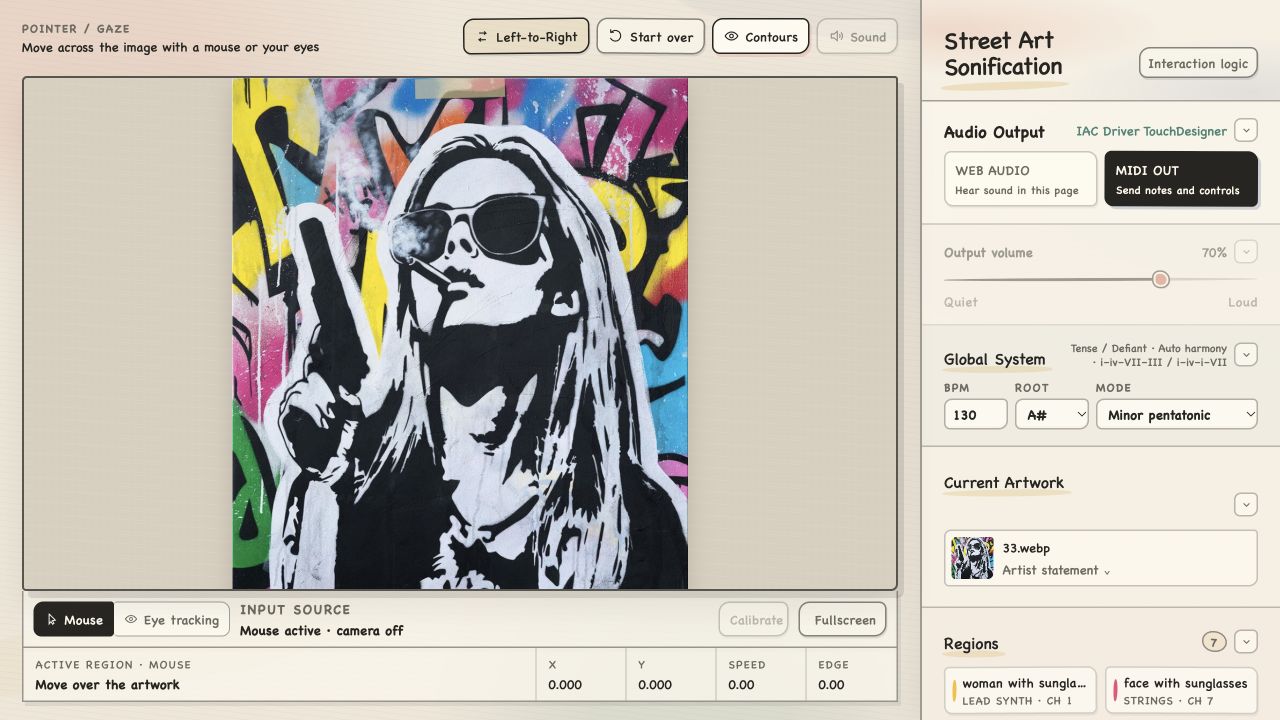
Street Art Sonification performance interface with the artwork on the left and musical controls on the right

Exploring street art through sound

Street Art Sonification is an ongoing interactive system led by Sunshiyu Wang. It combines an artwork and its artist statement so visitors can explore the image through sound, either freely with a pointer or gaze, or through a guided left-to-right scan.

The project treats street art as public culture shaped by place, identity, and the artist's voice. Sound is used as another path into meaning and composition—not as a simple conversion from color to pitch.
Three-Layer Experience

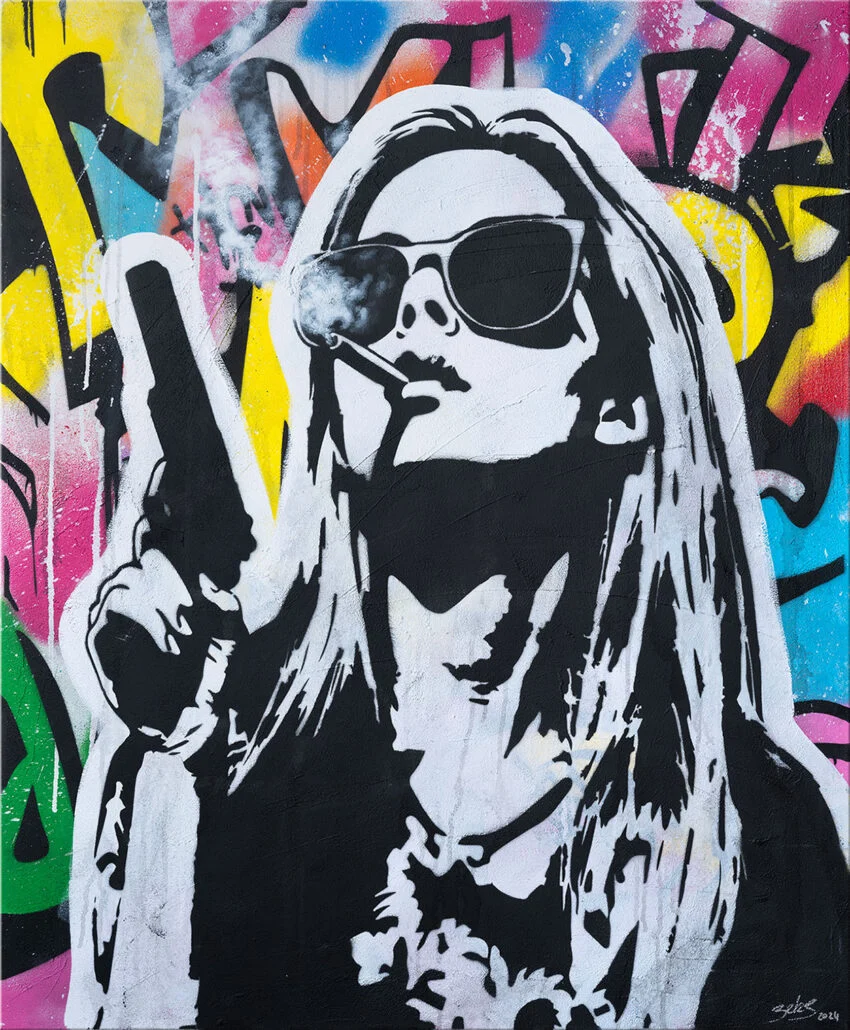
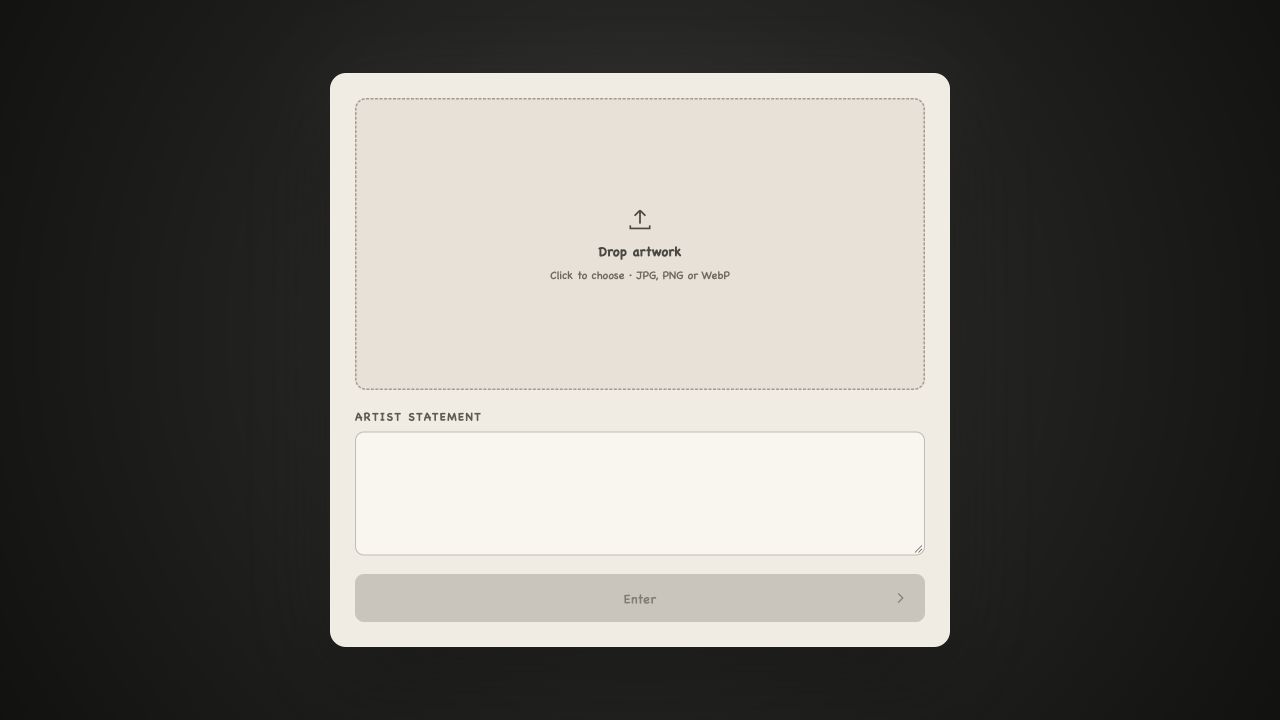
Layer 01 — Input: the visitor uploads a street artwork and adds the artist statement, keeping visual material and authorial context together from the start.

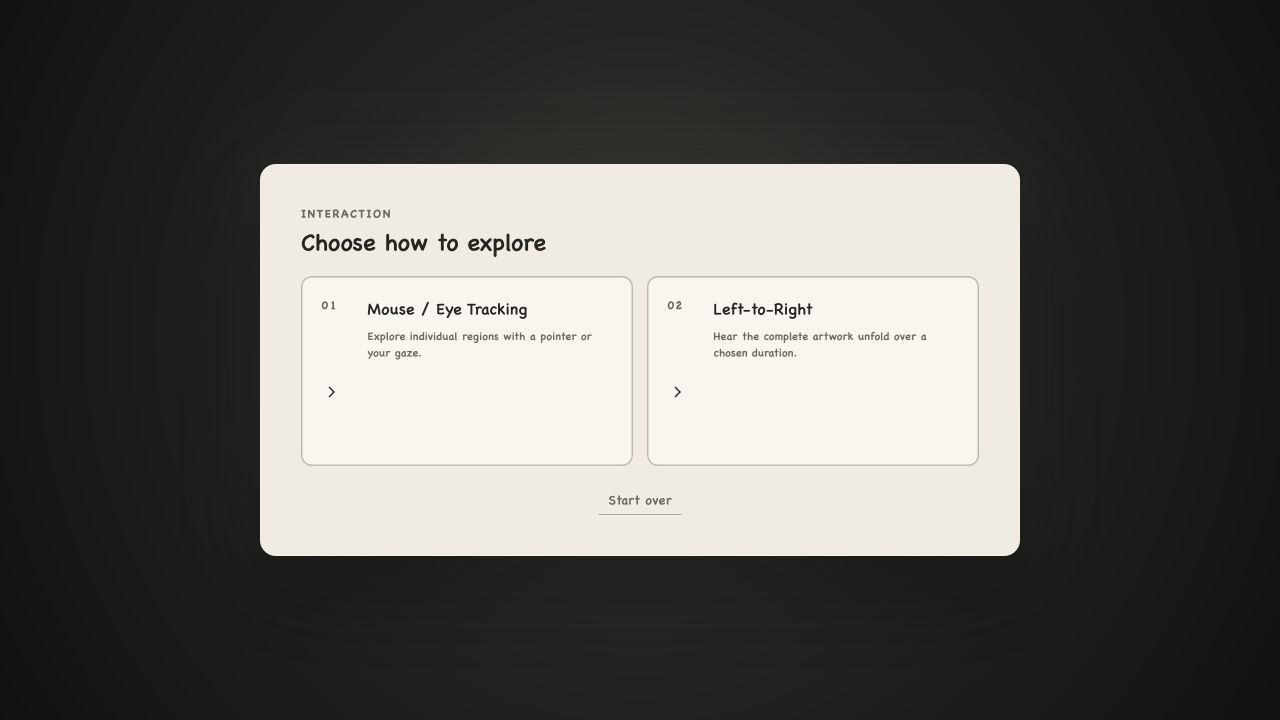
Layer 02 — Interaction: the visitor chooses direct exploration with a mouse or eye tracking, or a timed left-to-right mode that lets the complete artwork unfold as a guided listening experience.

Layer 03 — Performance: semantic regions become musical layers that respond in real time. The right panel keeps the system legible: users can select Web Audio or MIDI output, adjust volume, review tempo, root and mode, inspect each region's musical role, and access optional OSC/MIDI mappings and interaction data.

From image to sound

Qwen3-VL interprets the artwork together with its statement, while SAM 2.1 creates exclusive playable regions. A shared musical engine maps those regions to coordinated roles such as lead, harmony, bass, percussion, and texture, then sends the same composition to the browser or connected production tools.

Current work focuses on refining the mappings and evaluating how the experience can support more accessible encounters with public art, especially for blind and low-vision audiences.

DOCUMENTATION

Current Three-Layer Interface

Layer one interface for uploading artwork and entering an artist statement
Layer 01 · artwork and artist statement
Layer two interface for choosing mouse or eye tracking and left-to-right interaction
Layer 02 · choose an interaction mode
Layer three interface showing the interactive artwork and musical control panel
Layer 03 · live regions, musical system and output controls

NEXT PROJECT

Immersive Open Studio↗